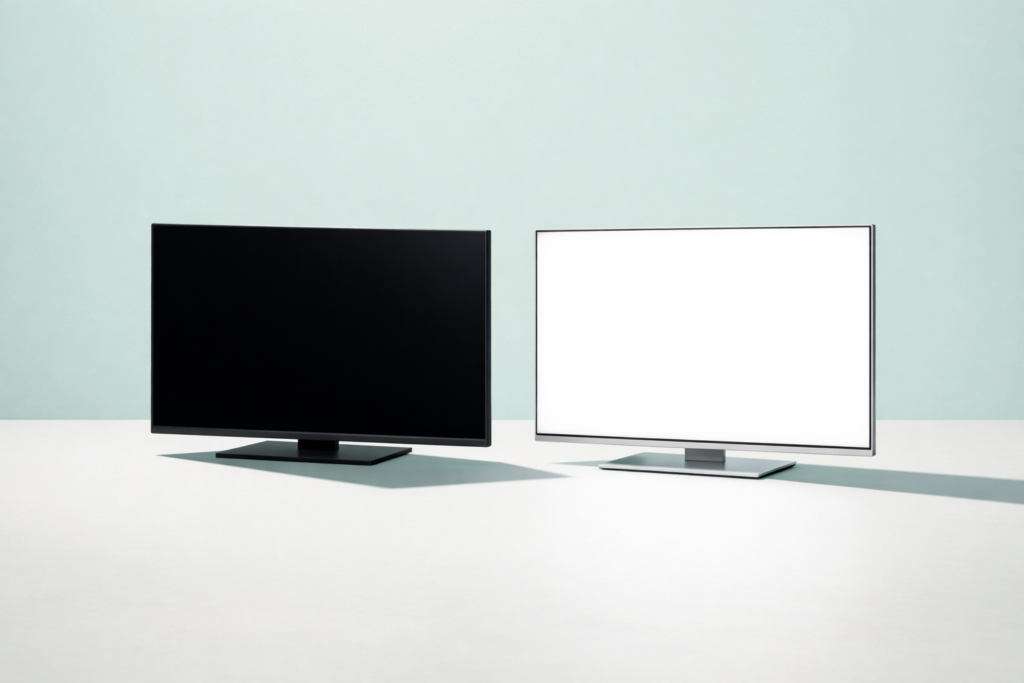
Quick answer: When comparing oled vs lcd, OLED usually wins for black levels, contrast, and viewing angles because each pixel makes its own light. LCD usually wins for brightness, lower cost, and peace of mind for long static use, so the better choice depends on where you’ll use the screen and what you watch or work on most.
When comparing oled vs lcd, the short answer is this: OLED screens make light at the pixel level, while LCD screens use a separate backlight. That one difference affects black levels, contrast, brightness, viewing angles, thickness, power use, and long-term issues such as burn-in. Neither is automatically better for every device or every person.
If you are choosing a phone, tablet, laptop, monitor, or TV, it helps to understand how each screen type behaves in daily use. Specs can look confusing, but the practical differences are easier to follow once you know what the technologies are doing behind the glass.
OLED vs LCD: the basic difference
OLED stands for organic light-emitting diode. Each pixel creates its own light. If part of the image should be black, those pixels can switch off completely.
LCD stands for liquid crystal display. The liquid crystal layer does not produce light by itself. Instead, a backlight shines through it, and the screen controls how much light passes through each area.
In simple terms:
- OLED = self-lit pixels
- LCD = light filtered from a backlight
This is why OLED is known for very deep blacks and strong contrast, while LCD is often praised for high brightness and good value.
| Feature | OLED | LCD |
|---|---|---|
| Black levels | Pixels can turn fully off for true blacks | Backlight remains on, so blacks usually look less deep |
| Contrast | Very strong, especially in dark rooms | Good to excellent, but usually lower than OLED |
| Brightness | Can be bright, but varies by device and model | Often very strong for bright rooms |
| Burn-in risk | Can happen with long-term static content | Not usually a typical permanent burn-in concern |
| Value | Often costs more | Usually available across more budget ranges |
How OLED and LCD actually work
How OLED works
An OLED panel contains tiny organic compounds that glow when electricity passes through them. Because every pixel lights itself, the screen can control brightness very precisely in small areas.
That brings a few clear benefits:
- True blacks, because pixels can turn fully off
- Very high contrast between dark and bright parts of an image
- Fast pixel response, which can reduce motion blur
- Thin panels, because there is no separate backlight layer
The trade-off is that OLED materials age with use. Over long periods, uneven wear can sometimes lead to image retention or permanent burn-in, especially if the same bright static elements stay on screen for many hours.
How LCD works
LCD panels use a light source behind the screen. That backlight used to be fluorescent in older displays, but modern LCD screens usually use LEDs for the backlight. This is why many products are marketed as LED TVs or LED monitors, even though the image layer is still LCD.
The liquid crystals twist or block light to form the image, while color filters create red, green, and blue subpixels.
Because the backlight is separate, LCD screens can be very bright. They also avoid the same kind of burn-in risk associated with OLED. However, since black areas still sit in front of an active light source, blacks usually look more dark gray than truly black.
Picture quality differences that matter in real use
Black levels and contrast
This is usually the biggest visible difference.
OLED has an advantage because switched-off pixels produce no light. In a dark room, this can make movies look more cinematic, with shadow detail standing out more clearly against black backgrounds.
LCD can still look excellent, especially higher-quality panels with advanced local dimming, but it usually cannot match OLED for perfect blacks. You may notice some glow or blooming around bright objects on dark scenes, depending on the panel design.
Brightness
LCD often performs very well in bright rooms because strong backlights can push high full-screen brightness. This can help if you use your screen near windows or under strong office lighting.
OLED can also look bright and vivid, but brightness behavior varies by panel type and device size. Some OLED displays are excellent in daylight, while others are better suited to mixed or dimmer environments.
If your main concern is daytime visibility, do not assume OLED always wins. Real-world brightness can vary a lot.
Color and vibrancy
Both technologies can produce rich, accurate color, but they often look different.
OLED screens tend to appear more vivid because of their strong contrast. Colors can seem to pop more, especially in dark scenes. LCD screens can also be highly accurate and vibrant, particularly well-calibrated premium displays.
What matters most is not just OLED or LCD, but also panel quality, calibration, and how the manufacturer has tuned the display.
Viewing angles
OLED generally keeps its contrast and color more consistent when viewed from the side. Many LCD screens shift in color or lose contrast at wider angles, though some LCD panel types handle this better than others.
If several people will watch the same screen from different positions, OLED often has an edge.
Motion handling and response time
OLED pixels can change state very quickly, which helps with motion clarity. This can be useful for gaming, sports, and fast-scrolling content.
LCD performance depends more on panel type and tuning. Some LCD displays handle motion very well, but OLED often has a natural advantage in pixel response.
Practical pros and cons of OLED vs LCD
Why choose OLED
- Best-in-class black levels
- Excellent contrast
- Strong viewing angles
- Fast pixel response
- Very thin, premium-looking panels
Why choose LCD
- Often brighter across the whole screen
- Usually more affordable at similar sizes
- No typical OLED burn-in concern
- Good for long static use, such as office work or signage
- Wide range of options at many budgets
Potential downsides of OLED
- Risk of permanent burn-in from long-term static content
- Panel aging can be uneven over many years
- Often costs more
- Some devices may reduce brightness aggressively in certain conditions
Potential downsides of LCD
- Blacks are usually less deep
- Contrast is typically lower
- Backlight bleed or blooming may be visible
- Viewing angles may be weaker
- Panels are usually thicker than OLED
Burn-in, lifespan, and long-term use
Burn-in is one of the most searched concerns in the oled vs lcd comparison, and for good reason.
Burn-in means a faint permanent image remains visible because certain pixels have aged more than others. This is most likely when static elements stay on screen for very long periods, such as news tickers, channel logos, game HUDs, or desktop taskbars.
Modern OLED devices often include protections such as pixel shifting, screen savers, logo dimming, and automatic brightness management. These features reduce risk, but they do not remove it completely.
LCD screens do not generally have the same permanent burn-in behavior. They can still suffer temporary image retention in some cases, but it is usually less of a long-term concern.
If you leave the same interface on screen all day for work, monitoring, or public display, LCD is often the safer choice. If you mainly watch varied content, play mixed games, and use built-in screen care features, OLED may still be a good fit.
Simple ways to reduce OLED wear
- Lower brightness when you do not need maximum output.
- Use auto-hide for taskbars or interface elements where available.
- Enable screen timeout and sleep settings.
- Vary your content instead of leaving one static screen up for hours.
- Use any built-in panel care tools recommended by the manufacturer.
Safety note: If you are changing display settings on shared work systems, kiosks, or managed devices, make sure the changes do not interfere with security lock timers or organizational policies.
Battery life and energy use
Power use depends heavily on what is on the screen.
On OLED, dark content can use less power because black pixels are off and dim pixels use less energy. That can help phones and tablets when using dark mode or watching darker video content.
On LCD, the backlight is always operating, so black areas do not save power in the same way. However, overall power behavior still depends on brightness settings and panel efficiency.
For very bright content, especially large white backgrounds, OLED can sometimes use more power than LCD. This is one reason battery results can vary between devices even when they have similar screen sizes.
If your day is mostly email, documents, web pages, and other bright backgrounds, OLED does not always guarantee longer battery life. If you use dark themes a lot, OLED may help more.
Which is better for phones, laptops, monitors, and TVs?
Phones
OLED is very common in phones because it offers rich contrast, good viewing angles, and can help make the device thinner. It also works well with always-on displays, though those features are managed carefully to reduce wear.
LCD phones can still be excellent, often at lower cost, and may suit users who keep static apps open for long periods.
Laptops
For creative work, movies, and premium designs, OLED can look fantastic. For long office sessions with toolbars, spreadsheets, and bright documents, LCD remains a practical choice and may be better value.
If color accuracy matters for professional work, look beyond the panel type and check whether the display is properly calibrated. If you are comparing models while shopping, it can also help to read a broader guide such as how to choose a laptop for your needs.
Monitors
For gaming and media, OLED can be outstanding thanks to contrast and response time. For general office use, coding, and static desktop layouts all day, LCD is still often the safer and more economical option.
If you choose an OLED monitor, sensible habits matter more here because desktop interfaces are often highly static. If you are setting up a new screen or replacing an older one, a step-by-step setup guide like how to set up a new device step by step can help you check brightness, sleep, and scaling settings early.
TVs
OLED is especially strong for movie watching in dim rooms, where deep blacks are easy to appreciate. LCD can be a great choice for brighter living spaces, sports, family rooms, or viewers who want a larger screen for the money.
Room lighting matters a lot. In a bright room, the “best” screen may not be the one with the best black levels on paper. If your TV is part of a wider connected setup, you may also find it useful to think about placement, lighting, and device simplicity the same way you would when you set up a smart home without making it complicated.
How to choose between OLED and LCD
If you are deciding between the two, focus on how and where you actually use your device.
Choose OLED if you want:
- The deepest blacks and strongest contrast
- A premium screen for films and games
- Wide viewing angles
- Fast response for motion-heavy content
- A thin, high-end design
Choose LCD if you want:
- A lower purchase cost
- Less concern about static content
- Strong brightness for bright rooms
- A practical screen for long work sessions
- More choice across many sizes and budgets
A quick decision checklist
- Think about room light. Bright room: LCD may suit you well. Dark room: OLED often shines.
- Think about content. Mixed movies and games: OLED is appealing. Static desktop use: LCD is safer.
- Think about budget. If value matters most, LCD usually gives you more options.
- Think about lifespan habits. If you leave screens on with fixed elements, lean toward LCD.
- Judge the actual panel, not just the label. A great LCD can beat a mediocre OLED, and the reverse is also true.
Common mistakes
- Assuming OLED is always the best choice. Choose OLED for contrast and motion, but choose LCD if you need bright-room performance or long static use.
- Confusing “LED” with a separate screen technology. In most product listings, LED means an LCD with an LED backlight, not OLED.
- Ignoring room lighting. A screen that looks perfect in a dark showroom may feel too dim or too reflective at home or in an office.
- Focusing only on panel type. Panel quality, calibration, and local dimming matter a lot too.
- Leaving static elements on screen for hours. If you buy OLED, use sleep timers, screen savers, and interface auto-hide features.
- Picking a display without thinking about usage patterns. Match the screen to movies, gaming, office work, signage, or shared viewing instead of buying by reputation alone.
Frequently asked questions
Is OLED always better than LCD?
No. OLED is usually better for black levels, contrast, and viewing angles, but LCD can be better for full-screen brightness, long static use, and lower cost.
Does OLED burn in easily?
Not necessarily easily, but it is a real possibility over time with repeated static content. Normal mixed use is less risky than leaving the same bright interface on screen for many hours every day.
Is LED the same as LCD?
Usually, “LED” in product marketing means an LCD screen with an LED backlight. It is not the same as OLED.
Which lasts longer, OLED or LCD?
Both can last for years, but LCD generally has fewer concerns about uneven pixel wear. OLED lifespan depends more on usage patterns, brightness, and how much static content is shown.
Is OLED better for eyes?
There is no simple answer. Eye comfort depends on brightness, flicker behavior, room lighting, text clarity, and your own sensitivity. It is best to try a screen in person if possible and adjust brightness sensibly.
Conclusion
The real difference in oled vs lcd comes down to how light is produced. OLED gives you pixel-level lighting, excellent contrast, and true blacks. LCD gives you strong brightness, broad affordability, and fewer worries about burn-in. The best choice depends less on marketing and more on your room, your content, and how long static elements stay on screen.
If you want the most cinematic image and are comfortable managing screen care, OLED is compelling. If you want a dependable all-rounder for bright spaces, work, or tighter budgets, LCD remains a smart choice.


