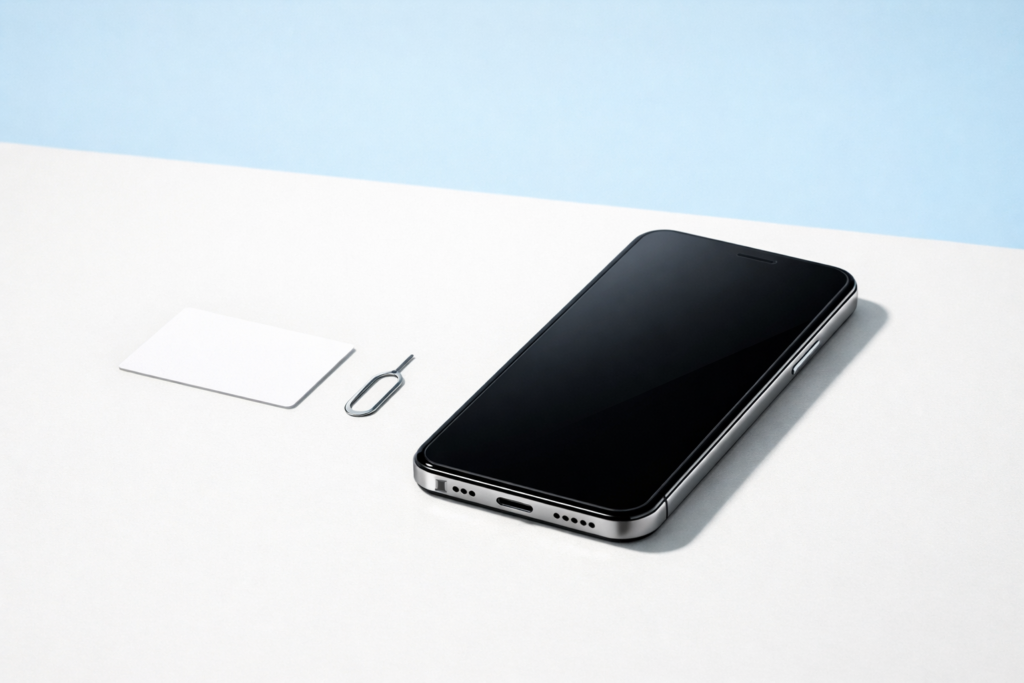
What is esim? It is a digital version of the SIM card that is built into a device, letting you connect to a mobile network without inserting a physical plastic card. For many people, eSIM is simpler, especially for travel, dual-line use, and setting up wearables, but whether you should use it depends on your device, carrier support, and how often you switch phones.
eSIM is now common in many smartphones, tablets, smartwatches, and connected laptops. It does the same basic job as a traditional SIM: it stores the information your device needs to identify itself on a mobile network. The difference is that instead of swapping a tiny card, you download and activate a mobile plan in software.
That sounds straightforward, but there are a few practical trade-offs. Some users will find eSIM more convenient. Others may prefer a physical SIM because it is easier to move between devices or because local carrier support is limited. Here is what you need to know before deciding.
What is eSIM and how does it work?
eSIM stands for embedded SIM. The word embedded matters: the SIM hardware is already built into the device by the manufacturer. You do not remove it or replace it. Instead, your mobile provider sends the plan details digitally, usually through a QR code, an app, or an activation menu on the device.
Once activated, the eSIM works much like a physical SIM. It tells the network who you are and what service plan you have, including voice, text, and mobile data where supported. Many devices can store several eSIM profiles, though only one or some limited combination may be active at the same time depending on the device.
In simple terms:
- A physical SIM is a removable card.
- An eSIM is built into the device.
- Both connect your device to a mobile network.
You can think of eSIM as replacing the plastic card, not replacing the mobile network itself.
How eSIM differs from a physical SIM
The main difference is convenience. With a physical SIM, you usually need the card itself, a tray, and sometimes a SIM eject tool. With eSIM, activation is done digitally.
Physical SIM: what it is good at
- Easy to move between compatible phones by removing the card.
- Widely supported, including on older devices.
- Useful when a carrier does not support eSIM.
eSIM: what it is good at
- No card to lose, damage, or insert incorrectly.
- Easier to add a second line for work, travel, or data-only use.
- Helpful in smaller devices such as smartwatches, where a SIM tray is impractical.
- Can make device design simpler because there is one less opening.
For users, the biggest day-to-day difference is setup and switching. eSIM can be quick when everything is supported properly. It can also be frustrating if your carrier’s activation system is slow or if you are moving to a device that handles transfers differently.
Why people choose eSIM
eSIM is not just a technical change. It solves a few practical problems that physical SIMs never handled especially well.
1. Travel is often easier
If you travel internationally, eSIM can make it easier to add a local or regional data plan without removing your main number. Many travelers keep their regular line active for messages and use a second eSIM for mobile data.
This can reduce the hassle of carrying tiny SIM cards or searching for somewhere to store your original card safely. Still, coverage, speeds, and activation options vary by region, so always check local network support before relying on eSIM for a trip.
2. Dual-line use is simpler
Many phones support a combination such as one physical SIM plus one eSIM, or even two active eSIMs on some models. This is useful if you want:
- a personal number and a work number
- a primary line plus a cheaper data plan
- a home plan and a travel plan
The exact setup options depend on the device and software version, so check your device specifications.
3. Setup can be faster
Instead of waiting for a plastic SIM to arrive, some providers let you activate service immediately. That can be helpful when setting up a new tablet, smartwatch, or backup phone.
4. It reduces physical wear points
There is no SIM tray to bend, misalign, or expose repeatedly. That is a small benefit, but over time it can matter on compact devices.
Drawbacks and limits of eSIM
eSIM is useful, but it is not automatically better in every situation.
Switching devices can be less direct
With a physical SIM, switching phones may be as easy as moving the card. With eSIM, you often need to transfer the profile through your carrier or device settings. Some brands make this easy. Some do not. If your old phone is lost, damaged, or will not turn on, transferring service can take more effort.
Carrier support varies
Not every mobile provider supports eSIM, and support may differ by plan type, device category, or country. A carrier may support eSIM on phones but not on smartwatches or tablets, for example.
Troubleshooting can be harder
If a physical SIM is not working, you can often test another card quickly. With eSIM, diagnosis is more dependent on software menus, network registration, and account-side settings.
Some users prefer a removable option
A physical SIM can feel more flexible, especially if you change devices often, lend a spare phone to a family member, or keep older hardware in use.
Device compatibility matters
Even if a phone model exists in an eSIM-capable version, regional variations can differ. Always confirm support for your exact model and your local carrier.
Should you use eSIM?
For many people, yes. But the best answer depends on how you use your devices.
eSIM is a good fit if you:
- travel regularly and want an easy second plan
- use a phone with dual-line support
- have a smartwatch or tablet with cellular service
- prefer not to handle tiny SIM cards
- use a provider with reliable eSIM support
A physical SIM may still suit you better if you:
- switch phones often
- use older devices
- live in an area where eSIM support is limited
- want the simplest possible recovery when a phone breaks
- frequently move your number into temporary or spare devices
If your device supports both, the most flexible setup is often to keep your main line on one format and use the other for backup or travel. For example, some people keep a physical SIM as their main number and add an eSIM only when needed.
How to check whether your device supports eSIM
Do not assume support based on appearance alone. Two very similar devices may differ depending on model, region, or carrier version.
Use this checklist:
- Check the manufacturer’s specifications. Look for eSIM or embedded SIM in the connectivity section.
- Check your mobile provider’s compatibility list. Some carriers support only certain models.
- Look in your device settings. Many phones list options such as adding a mobile plan, SIM manager, or cellular setup.
- Check whether your device is unlocked, if relevant. Some carrier-sold devices may have activation restrictions.
If you are buying a device primarily for travel eSIM use, verify support before purchase rather than after.
How to set up eSIM
The exact steps vary, but the overall process is usually similar.
- Confirm compatibility. Make sure both the device and the mobile provider support eSIM.
- Get the activation details. This may be a QR code, a provider app, or manual activation data.
- Connect to Wi-Fi. Many devices need an internet connection for setup.
- Open the mobile or cellular settings. Look for an option to add a plan or set up eSIM.
- Scan or enter the details. Follow the prompts to download the eSIM profile.
- Choose how to use the line. On dual-SIM devices, assign the line for calls, messages, or data as needed.
- Test the connection. Check signal, mobile data, and any calling features your plan includes.
Data security note: only activate eSIM using official carrier instructions, trusted apps, or verified account portals. Avoid scanning activation codes from unknown sources or sharing screenshots of QR codes, since they may contain account-specific information.
Can you use multiple eSIMs at once?
Sometimes, yes. Many modern devices can store more than one eSIM profile. Whether more than one can be active at the same time depends on the hardware and software.
Common possibilities include:
- one physical SIM plus one eSIM active
- multiple eSIM profiles stored, but only one active
- two eSIMs active at once on selected devices
This matters if you want to separate work and personal use or keep a travel plan ready without deleting your main line.
eSIM on phones, tablets, laptops, and wearables
Phones
This is the most common use. eSIM can make dual-line setups and travel plans easier.
Tablets
Useful for adding mobile data to a tablet without hunting for a tiny SIM tray. It is convenient if you work on the move or want a separate data plan.
Laptops
Some connected laptops support eSIM for built-in mobile internet. This can be helpful when Wi-Fi is unreliable, though support varies widely by model and region.
Smartwatches
eSIM is especially practical here because watches are small and often designed to work without a removable SIM. If you want a watch with cellular service, eSIM support is often essential.
What happens if you lose or reset your device?
This is one area where planning ahead helps.
If your phone is lost, stolen, or factory-reset, your eSIM profile may need to be restored or reissued by your provider. Some devices and carriers make this smooth. Others may require account verification and a fresh activation step.
For that reason:
- keep your carrier account details accessible in a secure password manager
- enable device security such as a screen lock and remote-find features
- know your provider’s recovery process before you travel
Security warning: if a device is lost or stolen, contact your provider promptly to suspend service if needed. A mobile line can be used for calls, data, and sometimes account verification messages.
Common eSIM problems and simple fixes
No QR code scan or activation error
Make sure you are connected to Wi-Fi, the code has not expired, and the device supports eSIM on that specific network.
No signal after setup
Check whether the new plan is turned on, whether mobile data is assigned to the correct line, and whether roaming needs to be enabled for travel use.
Cannot transfer eSIM to a new phone
Some transfers must be approved by the carrier. Start with your provider’s official transfer steps rather than deleting the old profile too early.
Calls or texts use the wrong line
Review the default line settings for calls, messages, and data. Dual-SIM devices often let you assign each separately.
If service still fails, contact your carrier. With eSIM, many issues are account or provisioning problems rather than hardware faults.
Frequently asked questions
Is eSIM better than a physical SIM?
Not always. eSIM is often more convenient for travel, dual-line use, and small devices, but a physical SIM can be easier when moving service between phones.
Can I use eSIM and a physical SIM together?
Many devices allow this, but not all. Check your model’s dual-SIM support and how many lines can be active at once.
Do I need internet to set up eSIM?
Usually yes. Most devices need a Wi-Fi or existing mobile connection to download and activate the eSIM profile.
Can I switch back from eSIM to a physical SIM?
Often yes, if your provider supports both formats for your line and device. You may need to request a new physical SIM and reactivate the service.
Is eSIM more secure?
It can be more secure in one narrow sense because there is no removable card to take out and misuse easily. But account security still matters most, so protect your carrier account and device with strong authentication.
Conclusion
eSIM is a built-in digital SIM that can make mobile setup cleaner and more flexible, especially for travel, dual numbers, and connected wearables. If your device and carrier support it well, it is often worth using. If you switch phones frequently or rely on older hardware, a physical SIM may still be the more practical choice.
The best approach is simple: check compatibility first, understand your carrier’s transfer process, and choose the format that matches how you actually use your devices.


