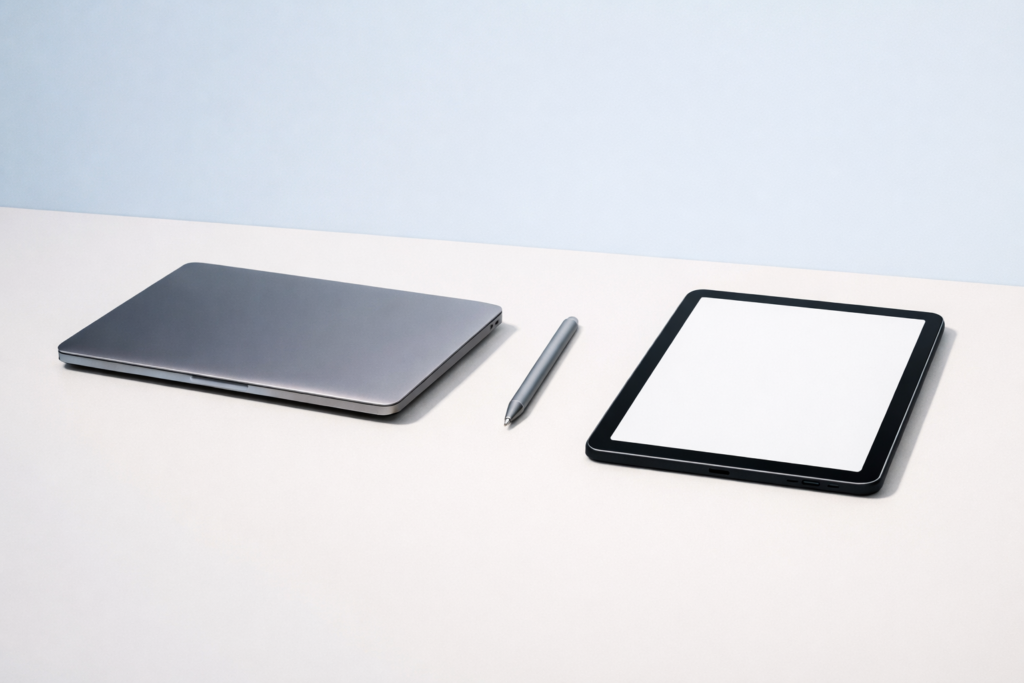
Quick answer: If you need to type a lot, multitask, manage files, or use full desktop software, buy a laptop. If you want something lighter for reading, streaming, notes, travel, and simple everyday tasks, buy a tablet. For most people, laptop vs tablet comes down to whether productivity or portability matters more in daily use.
If you are deciding on laptop vs tablet, the short answer is this: buy a laptop if you need serious typing, multitasking, file management, or specialized software; buy a tablet if you want maximum portability, long battery life, touch-first simplicity, and a device mainly for reading, browsing, streaming, notes, or light work. The best choice depends less on the device category and more on what you actually do each day.
That is why a quick spec comparison is rarely enough. A tablet can feel faster and easier than a laptop for casual use, while a laptop can save hours of frustration if your work depends on a proper keyboard, desktop-style apps, or managing lots of files. This guide breaks the decision down in practical terms so you can buy the right tool the first time. If you also want a broader buying framework, see how to choose a laptop for your needs, and if you are setting up a new device from scratch, this step-by-step setup guide can help you get started cleanly.
Laptop vs tablet: the core difference
A laptop is built around productivity. It usually has a physical keyboard, a larger operating system designed for windows and multitasking, more ports, and better support for full desktop software. It is the safer choice for people who need to write, edit, organize files, attend long video calls, or run demanding applications.
A tablet is built around convenience. It is lighter, often quieter, and designed for touch input. It turns on quickly, works well for media, web browsing, email, video calls, reading, and handwritten notes, and can often last a full day on battery. Some tablets can add a keyboard and handle light office tasks, but they still tend to be less flexible than a good laptop.
Think of it this way:
- Laptop: better for creation, administration, and complex tasks.
- Tablet: better for consumption, portability, and simple everyday tasks.
| Feature | Laptop | Tablet |
|---|---|---|
| Typing and long writing | Usually more comfortable and efficient | Possible with a keyboard, but less natural for long sessions |
| Multitasking | Stronger for multiple apps and windows | Good for light use, less flexible for heavy workflows |
| Portability | Heavier, but still portable | Lighter and easier to carry |
| Software compatibility | Best for full desktop apps | Often limited to mobile or tablet versions |
| Accessory needs | Usually ready to use as-is | May need keyboard, stylus, or adapter |
Choose based on what you do, not what looks better
Buy a laptop if you mostly do these things
- Write long documents, reports, or emails
- Use spreadsheets regularly
- Manage lots of folders and files
- Join work or school video meetings with several apps open
- Edit photos or videos beyond basic adjustments
- Code, design, model, or use specialized software
- Print, transfer files, or connect to accessories often
Even an affordable laptop usually feels more natural for sustained work. A physical keyboard, larger screen options, and better multitasking matter more than many buyers expect.
Buy a tablet if you mostly do these things
- Browse the web, read, or watch videos
- Check email and social apps
- Take handwritten notes or annotate documents
- Travel often and want something very light
- Use cloud-based apps rather than full desktop programs
- Need a device for casual family use
- Prefer touch controls and simple setup
Tablets are especially appealing if you want something more comfortable than a phone but less bulky than a laptop. For many people, that middle ground is enough.
Performance and software: where laptops still lead
Performance is not just about processor speed. It is about how comfortably a device handles your real workload.
Multitasking
Laptops are usually better at running several tasks at once. If you often keep a browser, video call, notes, messages, and documents open together, a laptop is typically the easier and more reliable option. Tablet multitasking has improved, but it can still feel limited, especially on smaller screens.
Software compatibility
This is one of the biggest decision points. Many jobs and courses rely on full desktop applications that are either unavailable on tablets or offered in reduced mobile versions. If you need advanced spreadsheet features, professional editing tools, programming environments, or specific work software, check compatibility carefully before buying.
Do not assume a tablet version of an app is identical to the laptop version. Sometimes key tools, export options, plug-ins, or file handling features are missing. If you use a browser heavily for work or study, it is worth knowing the basics of what a browser is and how your favourite web apps behave in it.
Storage and file management
Laptops usually make file management simpler. Moving folders, renaming batches of files, using external drives, and organizing projects is often faster and clearer on a laptop. Tablets can handle these tasks, but the process may be less direct depending on the operating system.
Warning on software and data security
Before buying either device, make sure it supports current security updates, device encryption where available, and a reliable backup method. If you handle work, school, or personal records, use strong passwords and two-factor authentication when possible. Avoid buying a device that no longer receives security updates.
Portability, battery life, and comfort
Weight and size
Tablets are usually easier to carry. That matters if you commute, travel, move around classrooms, or use the device on a sofa, in bed, or on a flight. A slim tablet with a small charger can fit into places where a laptop feels awkward.
Laptops, however, can be more comfortable on a desk or lap for longer sessions. A tablet often needs accessories to reach the same level of usability.
Battery life
Many tablets offer excellent battery life because their operating systems and components are optimized for low power use. Laptops vary more. Some are all-day devices, while others need charging much sooner under heavy use.
If long battery life matters, do not rely on marketing alone. Think about your real use case:
- Streaming video and browsing are light to moderate tasks.
- Video calls, large downloads, and high screen brightness use more power.
- Photo editing, gaming, and heavy multitasking drain batteries faster.
Charging and travel
A tablet charger is often smaller and easier to pack. That said, regional charging standards, voltage, and included accessories can differ, so check local compatibility if you travel internationally. If you need to work on long trips, a laptop may still be more useful despite the extra weight.
Typing, accessories, and real-world usability
Keyboards
If you write more than a few paragraphs at a time, a laptop is usually the better choice. Built-in laptop keyboards are more stable, and the device is designed around them. Tablet keyboards can be surprisingly good, but they are often smaller, more flexible, or sold separately.
Once you add a keyboard case and perhaps a stand, a tablet can become less compact and less comfortable than it first seemed.
Trackpad, mouse, and precision
Laptops are better for precise pointer control, especially in spreadsheets, design software, browser tabs, and file management. Tablets support touch well, and many now support trackpads or mice too, but the experience still depends on the app.
Stylus use
This is a major tablet advantage. If your work involves sketching, marking PDFs, handwritten notes, diagrams, or classroom annotation, a tablet can be the better fit. Some laptops support pen input too, but tablets often feel more natural for this purpose.
Ports and external devices
Laptops usually offer better support for accessories such as external monitors, USB drives, SD cards, wired internet adapters, printers, and audio gear. Tablets can connect to some of these devices, but often with extra adapters, wireless workarounds, or app limitations.
If you often plug things in, count the ports you need before buying.
Best choice by use case
For students
A laptop is usually the safer all-around choice for students because coursework often involves documents, research, video calls, presentations, and file uploads. A tablet is excellent as a companion device for reading and note-taking, but it may be limiting as the only device unless your needs are light and cloud-based.
Choose a tablet-first setup only if:
- Your school tools work well in a browser or mobile app
- You mainly take notes, read, and submit simple assignments
- You are willing to use a separate keyboard
For work
For most office and remote work, a laptop is the better default. It handles multitasking, meetings, attachments, and desktop apps more smoothly. A tablet can work for mobile professionals who mostly answer messages, review documents, present slides, or access cloud systems.
If your job depends on email, calendars, meetings, and cloud tools, it may also help to read why an app keeps crashing and how to clear app cache, since those issues can be more noticeable on lighter devices when storage or memory gets tight.
For creative tasks
This depends on the type of creativity. For drawing and annotation, a tablet may be ideal. For layered photo editing, video editing, audio work, or design projects with many assets, a laptop is often better because of storage, software, and screen workflow.
For travel and entertainment
A tablet is usually the winner for flights, hotels, commuting, and casual use. It is easier to hold, easier to pack, and great for books, films, light games, and browsing. If you also need to work seriously during travel, a light laptop may be the better compromise.
For children and shared family use
Tablets are often simpler for casual family use, learning apps, reading, and video calls. If a device will be shared by several people, set up separate accounts or profiles where supported, use parental controls if needed, and keep software updated.
Common mistakes
- Buying for rare tasks instead of daily tasks. Choose based on what you do every week, not the one-off thing you might do once in a while.
- Ignoring accessory costs. A tablet may need a keyboard, stand, stylus, or adapter, so compare the full setup cost, not just the device price.
- Assuming a tablet app works like the desktop version. Check whether the features, file tools, and exports you need are actually available.
- Choosing the lightest device without checking comfort. A very portable tablet can still be awkward if you type or multitask for long periods.
- Overlooking storage and file handling. If you work with many files, folders, or external drives, a laptop is usually easier to manage.
- Buying without checking update support. Make sure the device will still receive security updates and app support for a reasonable time.
How to decide in 5 practical steps
- List your top five tasks. Be specific. Write things like “edit spreadsheets,” “watch films on trips,” or “take handwritten notes,” not just “work” or “study.”
- Check your must-have apps. Make sure they are available and fully functional on the device you are considering.
- Decide how much typing you really do. If you type for hours, favor a laptop. If you mostly tap, swipe, and write short messages, a tablet may be enough.
- Think about where you use it. Desk, sofa, classroom, train, airplane, kitchen counter, or meeting room can all lead to different choices.
- Price the full setup, not just the device. A tablet may need a keyboard, stylus, storage upgrade, or adapter. A laptop may need a sleeve, mouse, or external storage.
So, which should you buy?
If you want one device for work, school, or anything demanding, buy a laptop. It is still the most flexible and least restrictive option for most people.
If you want a simple, lightweight device for browsing, reading, entertainment, notes, and light communication, buy a tablet. It is more pleasant for casual use and easier to carry everywhere.
If you are torn between the two, ask yourself one final question: Will I be more annoyed by carrying extra weight, or by running into software and typing limits? Your honest answer usually points to the right device.
Frequently asked questions
Can a tablet replace a laptop?
For some people, yes. If your tasks are mostly browsing, email, streaming, notes, and light document work, a tablet can replace a laptop. For heavy typing, advanced software, or serious multitasking, a laptop is still the better tool.
Is a 2-in-1 device the best of both worlds?
Sometimes. A 2-in-1 can be a good compromise if you want laptop productivity with occasional touch or pen use. The trade-off is that it may not feel as light as a tablet or as optimized as a traditional laptop.
Which is better for online classes or remote work?
A laptop is usually better because it handles video calls, documents, browser tabs, and uploads more comfortably. A tablet can work for lighter needs, especially with a keyboard, but check app compatibility first.
Are tablets better for battery life?
Often, yes. Tablets commonly offer strong battery life for everyday tasks. Some laptops do too, but battery life varies more depending on size, processor, screen, and workload.
What is better for note-taking?
If you prefer handwritten notes, a tablet with stylus support is often better. If you type all your notes and organize them in folders or long documents, a laptop may be more practical.
In the end, the best choice is the one that fits your routine with the fewest compromises. A laptop is the safer productivity pick; a tablet is the more convenient casual companion. Match the device to your real habits, and you will be much happier with the result.


